Check GTBank Account Balance via Code, SMS & Online
Are you wondering how to check your GTBank account balance without going to the bank? My brother, no need to waka go bank every time you wan check your GTBank balance again! Whether it is that urgent 2k you dey expect or big funds, knowing how much dey your account sef dey give peace of mind. From your phone to WhatsApp, even social media fit help you know your balance sharp-sharp. Make I run am for you make you see all the simple ways wey you fit check your GTBank account without stress.
Here are several ways to do it.
How to Check GTBank Account Balance
First, you need the mobile number linked to your GTBank account.
If you’ve lost the SIM card connected to your account, visit the bank to either change your number or reactivate the line. Without the registered number, you can’t receive alerts or perform certain mobile transactions.
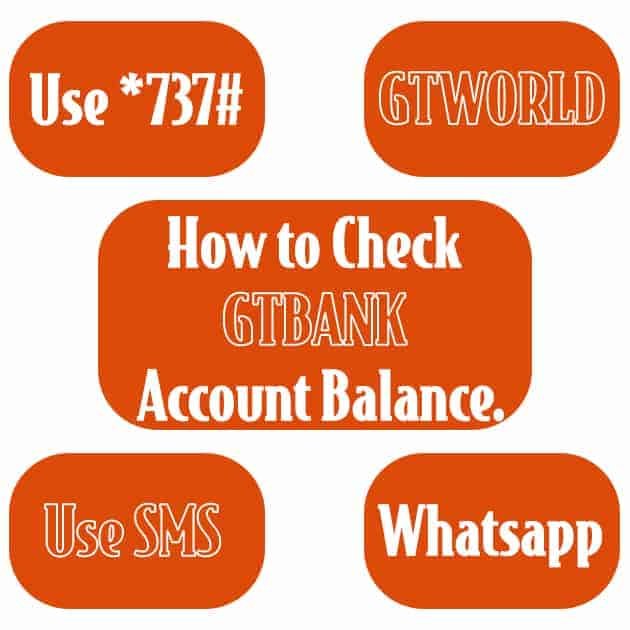
Check Balance Using USSD Code
Next, to see your account balance instantly on your phone screen, use the bank’s mobile banking code.
Every bank has its own code for transactions. This is one of the easiest ways to check your balance without visiting the branch. You can save the number and use it whenever you want.
Check Your Balance via Phone Call
Alternatively, call 080766655555 and ask for your account balance.
You will need to confirm your identity by providing details like your account name, account number, email, home address, and next of kin. Once your account is verified, your balance will be sent to your phone.
Check Balance on Social Media
You can also request your balance through GTBank’s official Facebook or Twitter pages.
Steps:
- Log in to your Facebook or Twitter account.
- Search for GTBank’s verified page.
- Send a direct message requesting your balance.
- Provide your account details for verification. Your balance will be sent after confirmation.
Using the GTWorld Mobile App
The GTWorld app lets you do many transactions, including money transfers, airtime top-ups, bill payments, and card management.
To check your balance:
- Download the GTWorld app from the Google Play Store or Apple Store.
- Sign up with your correct account details.
- Your balance will appear on the screen.
Check Balance on GTBank WhatsApp
You can send a message to GTBank customer care on WhatsApp using the number linked to your account.
WhatsApp numbers: 09060001601 or 07016974994.
Have your account information ready. You’ll be asked for details such as your account number, name, phone number, next of kin, and date of birth. After verification, your balance will be sent.
Check Your Balance via SMS
To check via SMS, send a message to 08076665555 in this format:
BALANCE [your account number]
Example: BALANCE 0083539899
Your account balance will be sent to you shortly after.
Article updated 7 months ago ago. Content is written and modified by multiple authors.
Previous Post